

Barcode Size Guide
Barcodes work when they're big enough, high contrast, and have proper quiet zones. Safe, real-world sizes for the most common retail and logistics barcodes.
- •Use black on white (or very light) wherever possible.
- •Never crop the blank space around the barcode (quiet zone).
- •Avoid glossy laminates over barcodes — glare kills scans.
- •Print crisp: blurry edges are the #1 reason barcodes fail.
- •If you're unsure: print larger, not smaller.
On individual products (retail)
- •EAN-13 or UPC-A— both are part of the same GS1 system and globally accepted.
- •US retailers can scan EAN-13 — it's widely recognised in the same environments.
- •UPC-A is common in the US because many companies are issued GTIN-12/UPC identifiers and use UPC-A on-pack.
- •The choice is about your identifier format and retailer requirements, not capability. See our GTINs guide for when to use each.
- •Sometimes Code 128 for internal IDs.
On cartons / shipping boxes
For internal workflows / QR use cases
- •QR code — good for URLs, internal references, rich data.
- •Thermal label printer (recommended): 203 dpi minimum, 300 dpi ideal for smaller labels.
- •Laser: usually fine if contrast is strong and no smudging.
- •Inkjet: can work, but watch for bleeding and low contrast.
Standard barcode sizes (safe defaults)
Sizes below include barcode + human-readable numbers, but exclude quiet zones. Always leave extra whitespace around the barcode. Generate Barcodes for any of these formats.
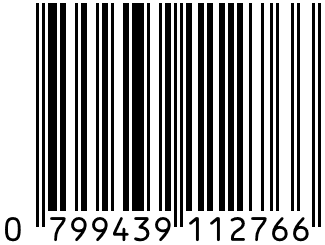
EAN-13
retail products scanned at checkout. US retailers can scan EAN-13 — it's widely recognised in the same retail environments.
View full details →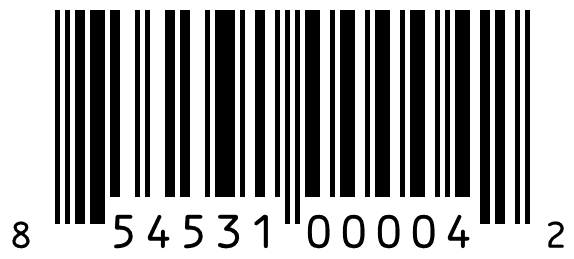
UPC-A
retail products in the US. Many US companies are issued GTIN-12/UPC identifiers and use UPC-A on-pack. UPC and EAN are part of the same GS1 system and are globally accepted.
View full details →
Code 128
internal IDs, pick/pack labels, shelf labels, asset tracking.
View full details →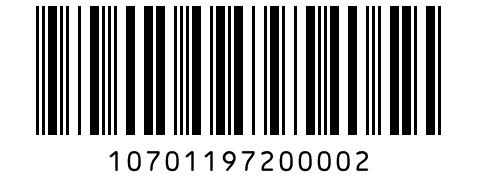
ITF-14
outer cartons, master cartons, case packs.
View full details →
GS1-128
cartons/pallet labels when encoding AIs (expiry, batch, serials, SSCC).
View full details →
QR Code
URLs, internal deep links, rich internal data, compact scanning.
View full details →Scanners need to see where the barcode begins and ends. If text, borders, or graphics touch the barcode, scans become unreliable.
What to avoid
- • Border box tight around the barcode
- • Icons or logos too close
- • Printing on patterned backgrounds
What to do
- • Keep a clear whitespace margin
- • If you add a box, place it well outside the quiet zone
- •Is it big enough for the scanner distance?
- •Is it black on white (high contrast)?
- •Are quiet zones fully blank?
- •Is the print sharp (no blur or bleed)?
- •Is it on a flat surface (not wrapped around an edge)?
- •If thermal printed: is the darkness high enough?
If in doubt: increase width by 20–30% and reprint. Need new barcodes? Generate Free Online.
- What is the minimum size for an EAN-13 barcode?
- The standard (100%) size for an EAN-13 barcode is: Width 37.29 mm, Height 25.93 mm. GS1 allows reduction down to 80% magnification in most retail environments, but anything smaller increases scan failure risk. If printing below standard height, you should always test thoroughly before production.
- Can I reduce the height of a barcode?
- Yes — in many cases you can reduce the height while keeping the width at standard scale. For example, some brands use full-width EAN-13 with reduced height (e.g. ~13 mm). This often scans correctly in retail environments. However, reducing height decreases scanning performance, especially in high-speed retail checkouts. Always test before committing to print.
- What does "80% magnification" mean?
- Barcode magnification refers to scaling relative to the standard (100%) size. For EAN-13: 100% = standard retail size, 80% = minimum recommended retail size, below 80% = increased scan risk. Retailers may reject products if barcodes fall below GS1-recommended magnification.
- Why won't my barcode scan?
- Common reasons include: printed too small, poor print quality (ink bleed or low contrast), insufficient quiet zone (clear space around the barcode), wrapping around curved packaging, or low contrast (e.g. light grey on white). Barcodes should be black on white, high resolution, with adequate quiet zones, and printed flat where possible.
- How can I test if my barcode works?
- Before mass production, you should: scan using multiple barcode apps, test with different devices (iPhone, Android, scanner gun), print at final packaging scale, and test under normal retail lighting. For full compliance, professional barcode verification (ISO/IEC grading) can be performed by certified testing providers. For many small brands, basic multi-device scanning tests are a practical first step.
- Do retailers or Amazon require a minimum barcode size?
- Most retailers require compliance with GS1 size and print standards. Amazon and other marketplaces typically validate the GTIN itself rather than physical size, but if you plan to sell into physical retail, barcode size and quality must meet scanning requirements. When in doubt, follow GS1 magnification and quiet zone guidelines.
- What size should my barcode be?
- Depends on the type. EAN-13/UPC-A: 37×26mm recommended, 31×22mm minimum. Code 128: 40×12mm for short data. ITF-14: 100×32mm for cartons. QR codes: 20×20mm minimum, 25×25mm for reliability. Always leave extra whitespace (quiet zone) around the barcode.
- What is a quiet zone?
- The blank space (margin) required around a barcode so scanners can read it. Never crop into it. For EAN-13/UPC-A, aim for 3–4mm left and right, 2mm top/bottom.
- Which barcode format should I use for retail products?
- EAN-13 or UPC-A. Both are part of the same GS1 system and globally accepted. See our GTINs guide for when to use each. EAN-13 is common in UK, Europe, Australia. UPC-A is common in the US. US retailers can scan EAN-13.
The barcode generator lets you customise size, quiet zones, and output format. The label generator produces print-ready PDFs at the dimensions you need for each barcode type.